 VibeDesk
/Tools
The tools around Claude, one click away.
A live preview you can point at, a small editor, a Git & GitHub window, a command palette, skills – and a flowchart editor to build your own addons without writing code.
Preview · Point at it
Click the thing that should change.
When Claude or a shell starts a local dev server, the preview opens by itself. Click the magnifier, click an element on the page and say what should be different. Claude gets the selector, text, HTML and a screenshot of that spot – and the preview stays in front so you see the change live.
- Dev server in one click: if your
package.jsonhas adevscript, the terminal title shows “▶ Dev server”. It starts in a shell next to Claude with the right package manager (npm, pnpm, yarn or bun) – even when Windows blocks PowerShell scripts. - Errors from the browser console collect as a red badge; “Claude should fix this” sends them to the right session.
- Pages in the preview get no camera, microphone or location.
Command palette
Every window, project and action.
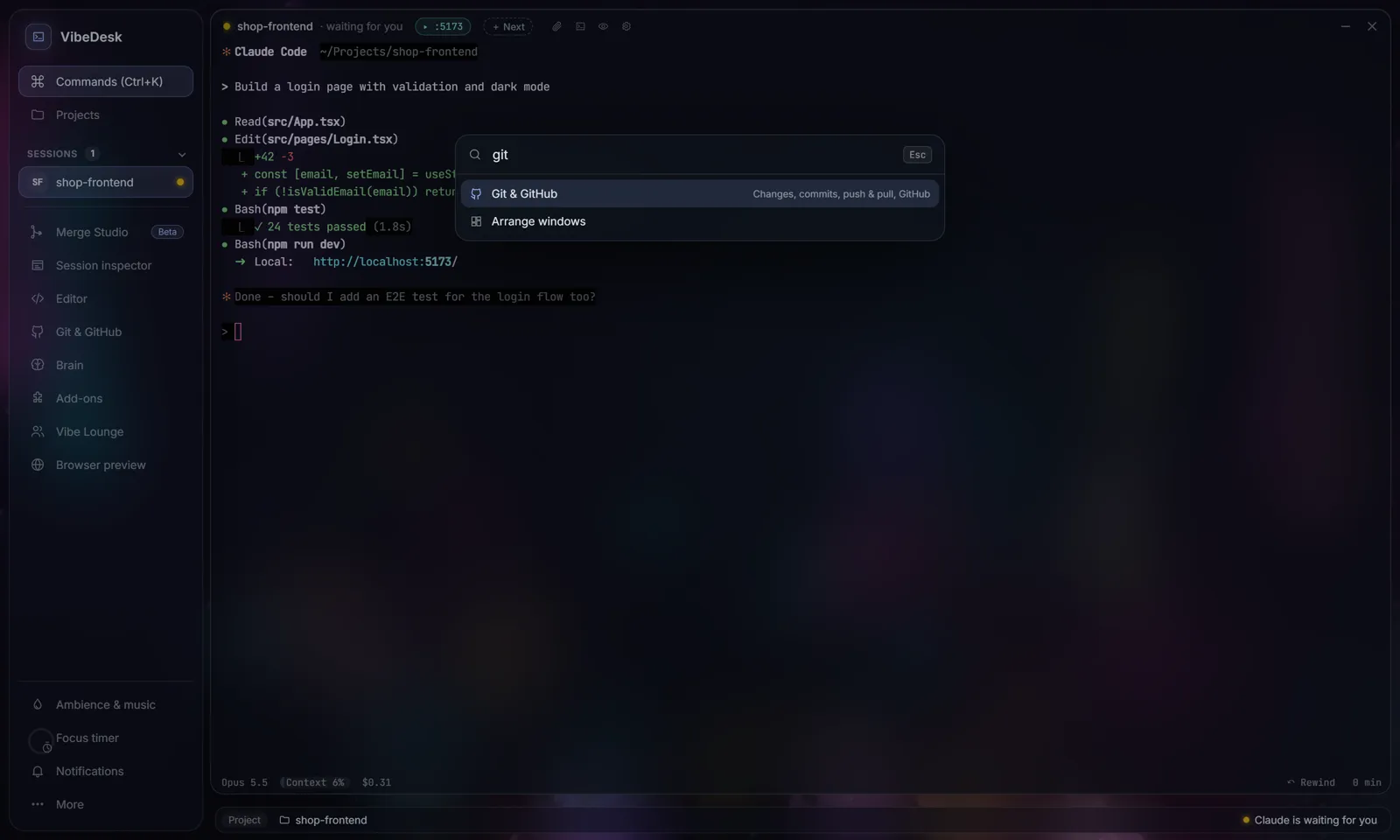
Ctrl + K – or Ctrl + Shift + P inside the terminal – opens the palette. Type a few letters to open a window, switch projects, arrange or tidy up windows, start the tour or run your own macros.
Git & GitHub
Review, commit and push without a second app.
See every changed file with its diff, stage single files or all of them, discard what you don't want and commit. Claude can write the commit message from your changes, in the style of your earlier commits – through your Claude plan, no API key.
- Push, pull and a count of commits ahead and behind; browse the history with all changes of a commit.
- Publish a new project to GitHub, private or public, with one click.
- Git and the GitHub CLI install with one click; login runs through a code in your browser.
Addons, editor, skills
Build your own extensions – without code.
The addon maker is a flowchart editor: “when a session waits for me, switch to Tokyo and play a gong.” Macros can even drive Claude.
Real building blocks
Triggers, actions, conditions, loops, questions with buttons, signals, parallel branches, lists and calculations.
Macros that drive Claude
Open a session, send a prompt, wait until Claude is done, continue. Rate-limited, with a clear warning on install.
Safe by design
Addons only see their own blocks: no file access, no shell commands, no internet. Before installing, VibeDesk explains in plain words what an addon does.
Templates and sharing
Start from one of ten templates; share addons as .vibeaddon files and install them by double-click.
Editor for quick fixes
Clicking a file in the live feed opens it at the line Claude changed. Ctrl + S saves.
Skills and prompts
Install skills by drag & drop or GitHub link; keep a prompt library and notes per project.
Let Claude work.Step in when it counts.
FreeOpen source (MIT)Windows 10/11Uses your own Claude plan