See who is waiting
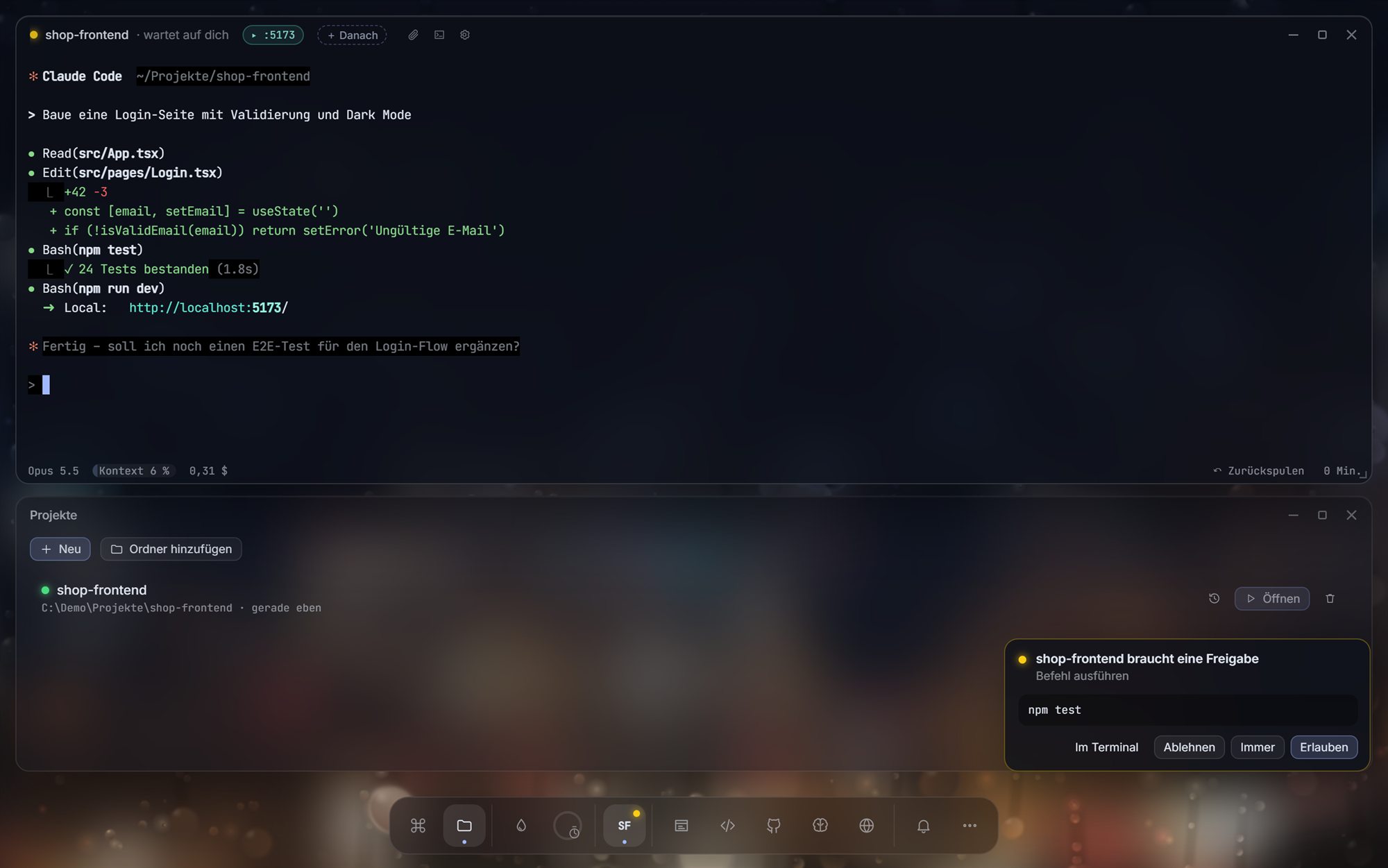
Every session gets a dot in the dock. Green is working, yellow is waiting for you, blue is done.
Run several Claude Code sessions side by side. See at a glance which one is waiting for you — and answer it in one click, on your PC or your phone.
Free·Open source (MIT)·Windows 10/11·Uses your own Claude plan· Latest:
Features
Claude Code runs in real terminals. VibeDesk puts the overview around them: what each session is doing, what it is waiting for, and what it costs.
Every session gets a dot in the dock. Green is working, yellow is waiting for you, blue is done.
npm test
When Claude wants to run a command, a card appears. Allow, Always or Deny — without hunting for the terminal.
Open VibeDesk in your phone's browser, pair with a 6-digit code, answer approvals from the kitchen. No app needed.
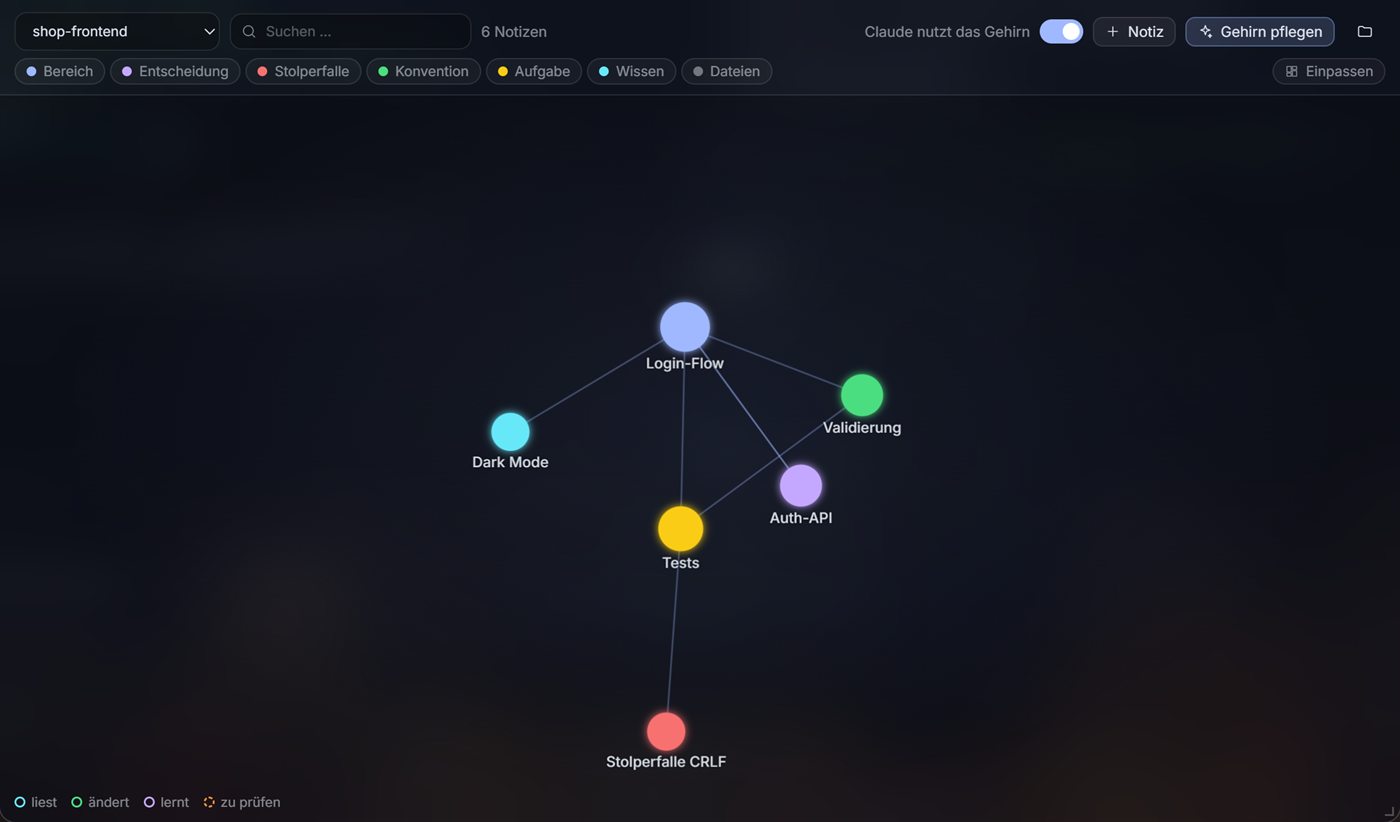
Areas, decisions and pitfalls as linked Markdown notes. New sessions start with what earlier ones learned.
Line up the next task. It starts as soon as Claude is free.
Usage limit hit? VibeDesk reads the reset time and lets Claude carry on by itself.
Diff, stage, commit with a message Claude writes, push, pull and publish.
Dev servers open automatically. Click an element and tell Claude what should change.
Rain on the window, a lofi stream and Pomodoro rounds. Long sessions feel less like a console.
Project memory
The brain keeps what Claude learns about your project in .vibedesk/brain — plain Markdown with [[links]], readable in Obsidian and versionable with Git.
Inspector
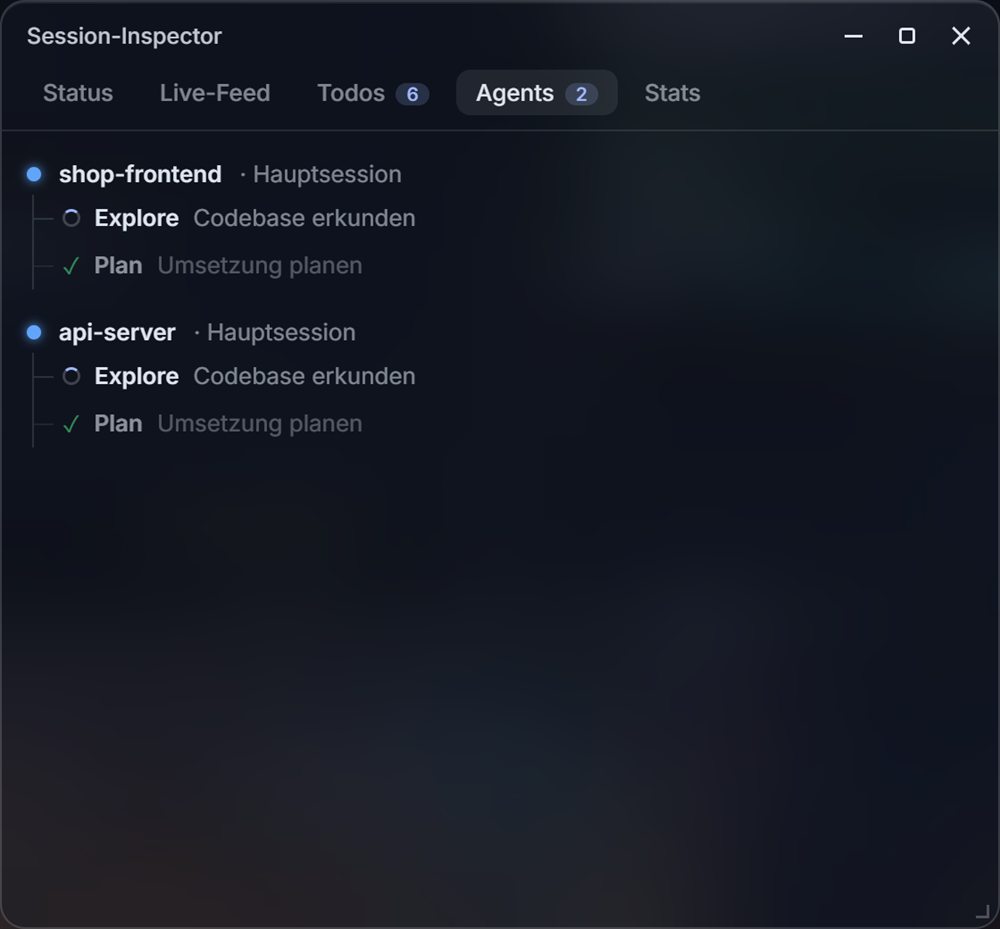
A live feed of every action, todo progress, a tree of subagents, and stats — context usage, tokens, cache hits and estimated cost per session and day.
Price
FAQ
No. VibeDesk is an independent, unofficial project. It runs the real Claude Code CLI that you install yourself.
Windows 10 or 11, Claude Code installed, and a Claude Pro/Max plan or an API key. VibeDesk can install Git and the GitHub CLI for you with one click if you want them.
Yes. VibeDesk is free and open source under the MIT license. Claude usage is billed by Anthropic through your own plan, not by VibeDesk.
No. VibeDesk does not touch your ~/.claude/settings.json or project settings. Sessions started in VibeDesk get a temporary settings file with its hooks, passed via --settings. Sessions you start elsewhere are not affected.
Everything. Settings, stats and notes are stored locally; the brain lives in a .vibedesk folder inside your project. Phone access from outside your network only happens if you turn it on — then a Cloudflare tunnel is used, and pairing still needs the code from your screen.
The interface is German today. An English interface is coming with version 1.1.
Not at the moment. VibeDesk is built for Windows 10 and 11.
Free for Windows 10 and 11.