 VibeDesk
/Brain
Claude stops exploring from scratch.
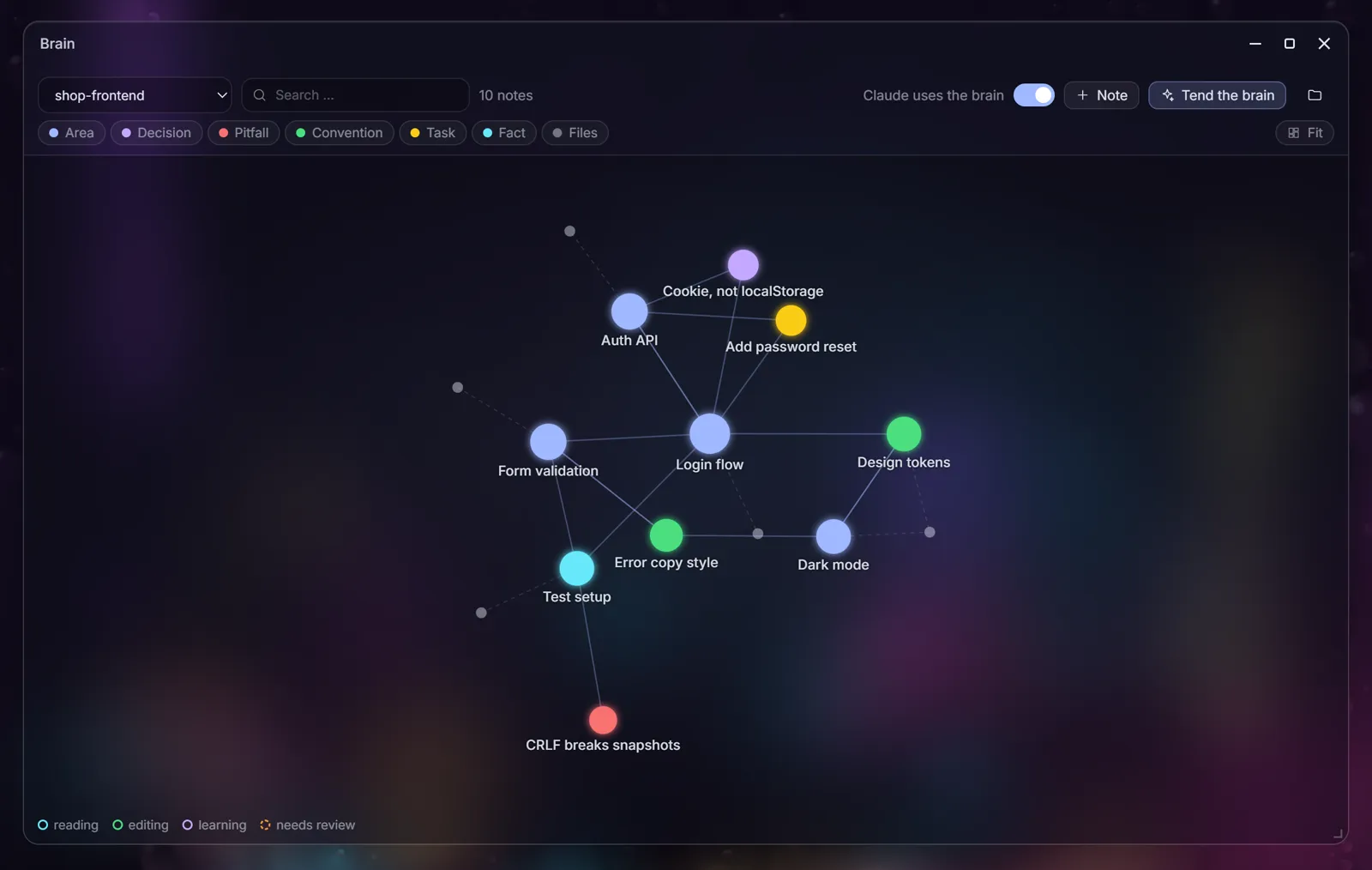
The brain keeps what Claude learns about your project as linked Markdown notes inside your repo. Every new session starts with that knowledge – and a living graph shows Claude reading, editing and learning.
Plain files
Notes you can read, edit and commit.
The brain lives in .vibedesk/brain inside your project: one Markdown file per note, linked with [[links]]. Open the folder in Obsidian, edit a note by hand or version it with Git – or add it to .gitignore if it should stay private.
- Six kinds of notes: areas, decisions, pitfalls, conventions, tasks and facts.
- Notes can point at files; if a file changes later, the note is marked for review.
How Claude uses it
Every session starts where the last one stopped.
Each session begins with a short overview of the brain and gets its own tools to search, read and extend it. The graph in VibeDesk lights up while that happens: notes Claude reads, files it edits, things it learns.
- Tends itself: if Claude changed files in a turn but wrote nothing down, VibeDesk asks it to update the brain before finishing – no click needed. A small card shows which notes changed.
- One switch – “Claude uses the brain” – turns it off per project.
About you
Claude gets to know how you work.
Next to each project's brain there is a personal one: About you. Here Claude notes how you like to work, what you like and what you don't – and every new session, in every project, starts with it. The longer you use VibeDesk, the better Claude fits you.
- Stays on your PC only, never inside a project.
- View and edit it in the brain window under “About you (all projects)”.
- The button “Let Claude get to know me” writes the first notes; Vibe Wrapped shows how much Claude learned about you this week.
Let Claude work.Step in when it counts.
FreeOpen source (MIT)Windows 10/11Uses your own Claude plan